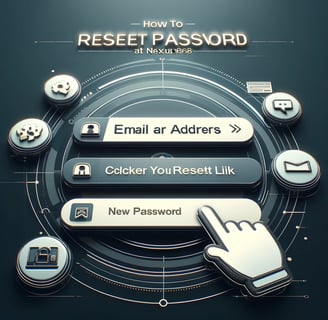
How to Reset Your Password at NEXUSCASH88
Leave a Comment / By O / Jan 12, 2025
Step 1: Visit the NEXUSCASH88 Website
Open Your Browser
Launch your preferred browser (Google Chrome, Firefox, Safari, etc.) and go to the official NEXUSCASH88 website.Go to the Login Page
On the homepage, click on the “Login” button, which is typically located in the top-right corner of the page. This will take you to the login form where you can enter your credentials.
Step 2: Click on “Forgot Password?”
Locate the “Forgot Password?” Link
Below the login fields, you will see a link that says “Forgot Password?”. Click on this link to begin the password reset process.
Step 3: Enter Your Registered Email Address
Provide Your Email Address
On the next page, you will be asked to enter the email address associated with your NEXUSCASH88 account.Submit Your Email
After entering your email, click the “Submit” button to send a password reset request.
Step 4: Check Your Email Inbox
Look for the Reset Email
After submitting your email, NEXUSCASH88 will send you a password reset link. Check your inbox for this email. If you don’t see it right away, make sure to check your spam or junk folder.Click the Reset Link
Open the email and click the link provided to be redirected to a secure page where you can reset your password.
Step 5: Create a New Password
Enter a New, Secure Password
On the password reset page, you will be prompted to create a new password. Make sure it is secure and unique, combining uppercase and lowercase letters, numbers, and special characters.Confirm Your New Password
You will need to re-enter your new password in the confirmation field to ensure there are no mistakes.Submit the New Password
After entering and confirming your new password, click the “Reset Password” button to complete the process.
Step 6: Log In with Your New Password
Return to the Login Page
Once your password is reset, you will be able to log in with your new password.Enter Your Username and New Password
On the login page, enter your username (or email) and your newly created password.Click “Login”
After entering your credentials, click the “Login” button to access your account and start playing again.
Tips for a Secure Password
Avoid Using Common Words: Don’t use easily guessable words like your name or common phrases. Opt for a random combination of characters.
Use Numbers and Symbols: Incorporate numbers and special characters to enhance your password’s strength.
Make It Unique: Don’t reuse passwords from other accounts. Keep your NEXUSCASH88 password unique.
Update Regularly: Change your password periodically for additional security.
Step 7: Need Further Assistance?
If you encounter any issues during the password reset process or need additional help, our customer support team is available 24/7 to assist you. You can reach out to us via live chat, email, or phone, and we’ll help you resolve any issues quickly.
Resetting your password at NEXUSCASH88 is easy and secure, and we’ve made it simple for you to regain access to your account. Follow the steps above, and you’ll be back to enjoying your favorite games in no time!
Get in touch
QUICK GUIDE ON HOW TO REGISTER
Let's Talk
info@nexuscash88.com.ph


ALL RIGHTS RESERVED 2025